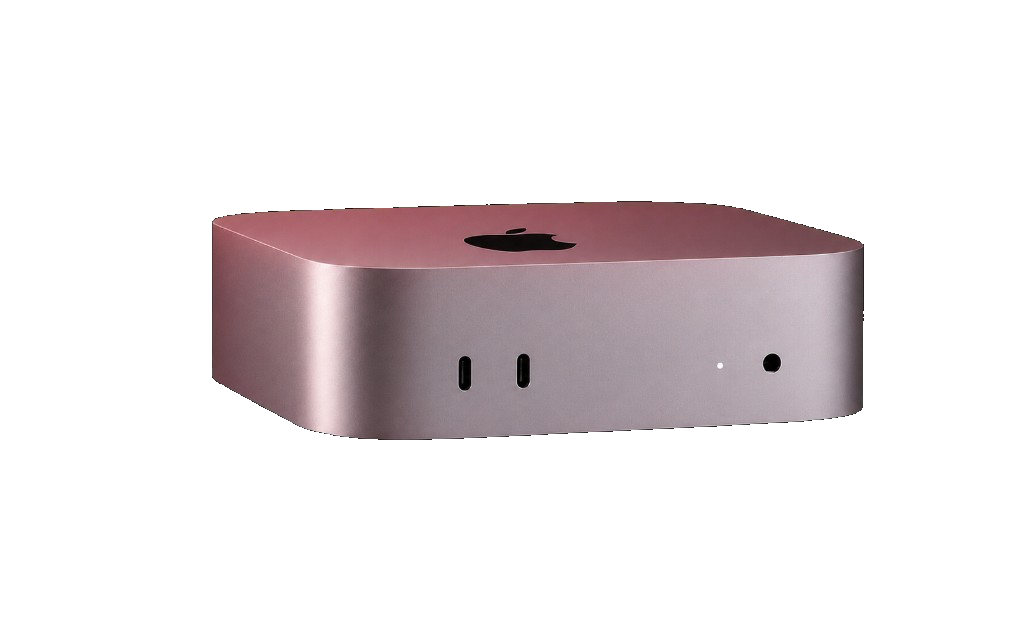
kvmrun offers M4 / M4 Pro bare-metal Mac mini rental for developers — 5 global cloud data center nodes, flexible monthly billing, SSH/VNC remote access within 60 seconds of payment, with zero virtualization overhead.
The entire Mac mini physical machine is exclusively yours — no Hypervisor layer holding you back. iOS build efficiency improves significantly and Xcode runs at native full speed.
When a macOS rental instance is released, a military-grade low-level format is triggered to protect enterprise codebases and core business data. Hardware-level physical isolation eliminates any risk of data leakage.
BGP backbone directly connected to top-tier cloud data centers — remote access is smooth and stable. 5 nodes support automated scaling with macOS cloud deployment completing in minutes.
Global nodes
Transparent pricing with no hidden fees — start your dedicated Mac mini cloud rental monthly.
* All prices exclude tax · Extra storage +1TB $12.6/mo · +2TB $25.2/mo · Interconnect $7.4/mo
| Specifications | Mac mini M4 Best value | Mac mini M4 Performance upgrade | Mac mini M4 Pro Flagship |
|---|---|---|---|
| Processor & graphics | |||
| CPU cores | 10-core | 10-core | 14-core |
| GPU cores | 10-core | 10-core | 20-core |
| Neural Engine | 16-core | 16-core | 16-core |
| Memory & storage | |||
| Unified memory | 16 GB | 24 GB | 64 GB |
| SSD | 256 GB | 512 GB | 2 TB |
| Expandable storage | 1 / 2 TBOptional add-on | 1 / 2 TBOptional add-on | 1 / 2 TBOptional add-on |
| Network & access | |||
| Network bandwidth | 1 GbpsShared uplink | 1 GbpsDedicated public IPv4 | 10 GbpsDedicated high-speed channel |
| Remote access | SSH / VNC | SSH / VNC | SSH / VNC / dedicated line |
| Service guarantees | |||
| Bare-metal dedicated | |||
| SLA uptime | 99.9% | 99.9% | 99.95% |
← Scroll to view full specs →
Deployment workflow
Choose the right Mac mini rental configuration, add optional storage, and complete payment online.
The system automatically assigns a dedicated bare-metal machine and deploys the macOS cloud environment.
Get your public IP, SSH/VNC port, and initial login password.
Access your macOS rental instance via VNC desktop or SSH terminal, launch Xcode and get to work.
Native CI/CD support
Register a macOS cloud runner — builds and unit tests trigger automatically on every push.
Private runner in your pipeline — fully managed builds replace your local Mac mini dev machine.
iOS packaging, signing, and automated publishing in one place — fully replacing local macOS build workflows.
Mac mini cloud rental instances integrate with major CI tools for fully automated cloud builds and testing.
Cost comparison
High upfront cost — Mac mini M4 starts at ~$599+, hardware depreciates and becomes obsolete quickly.
From $106.3/month with flexible subscriptions — always the latest generation compute, zero capital expenditure.
Self-hosted network is fragile — a power cut stops everything, and hardware failures are your problem.
Hosted in Tier 3 cloud data centers — hardware failures auto-swapped, full data center ops included, business stays online.
Scaling means re-purchasing hardware — long lead times, high cost, unable to handle traffic peaks.
5 cloud nodes across Asia-Pacific and North America — scale elastically for multi-region deployments and peak loads, rent and release as needed.
kvmrun Mac mini rental provides real physical bare-metal machines with no virtualization layer underneath and a strict no-oversell policy. You have exclusive use of the machine's CPU, memory, and storage — macOS performance is never affected by other tenants, ensuring fundamental data isolation and service stability.
Yes. Every macOS rental instance comes with a fixed dedicated public IP and exclusive bandwidth, not shared with any other user. Standard plans include 1 Gbps dedicated symmetric bandwidth, and the static IP supports custom DNS and firewall policies — traffic routed through premium international backbone lines.
After payment, the system automatically completes macOS cloud instance allocation and initialization within minutes. An email notification with the host IP, VNC port, and initial password is sent upon completion for immediate remote access — typical ready time under 60 seconds.
kvmrun provides 24/7 multi-channel technical support: the ticket system responds within 2 hours on business days (within 24 hours on weekends/holidays); for email, send to support@kvmrun.com — typically replied to within 4–8 hours; for critical failures, add "URGENT" to the ticket title to trigger the priority channel.
Fully cross-platform compatible. kvmrun macOS cloud rental instances offer both VNC graphical remote desktop and SSH command-line terminal. Mac users can use the built-in Screen Sharing app directly; Windows users should use RealVNC Viewer or TigerVNC — just enter the IP and password to connect remotely with no extra configuration.